Hello Techies, welcome to this tutorial
Today, we are going to learn how to install Elastic search and Kibana in windows-based system. Then we’ll perform some CRUD operation on elastic database and after that we’ll go through the basic use of Kibana to view the data stored in elastic database. this tutorial mostly focuses on the windows-based installations. But there are some instructions available for another operating system also. Please go through them carefully.
You will learn following things:
- Install elastic search.
- Install Kibana.
- Spring rest project.
- Elastic search repository.
- Save and fetch the data from elastic database using repository
Prerequisite:
Basic knowledge of elastic search, Kibana, Spring boot, Restful web services.
Versions we are using:
1. Java 1.8 u251 +
2. Elastic search 7.7.1
3. Kibana 7.7.1
Now, we are clear with what to do and what is the prerequisite for understanding this tutorial. But before start learning, please make sure that you are using java version 1.8 update 251 and above.
1. Install elastic search
Installing elastic search is the first step of our tutorial. Official page of elastic search is providing easy ways to setup this on your local machine.
So, lets follow the steps mentioned here
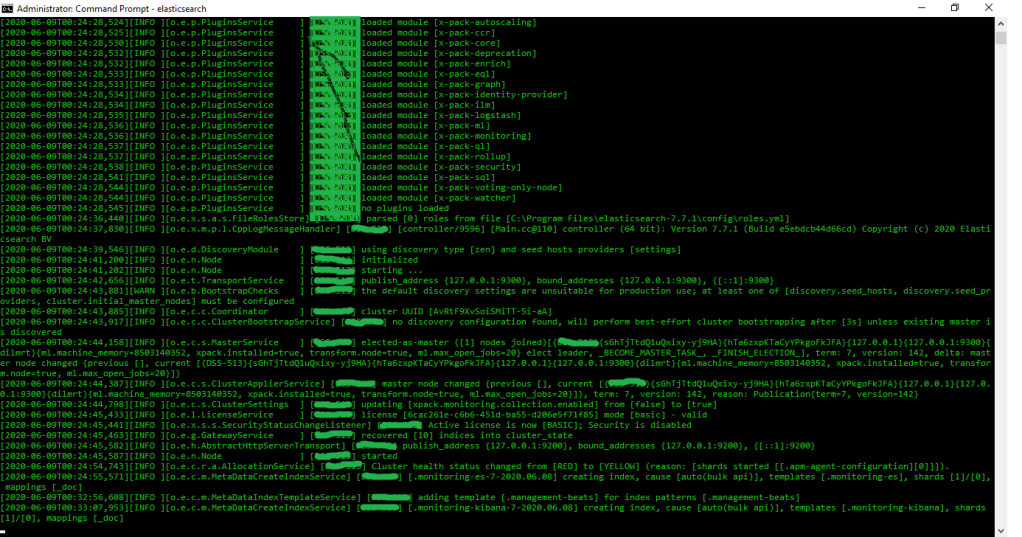
Please, carefully read the commands to run those after successful installation. After running the elastic search you’ll see something like this
Elastic search local URL:
http://localhost:9200/
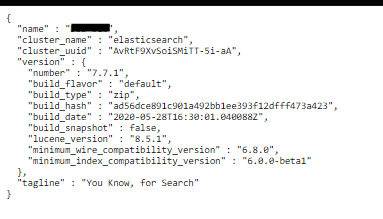
check if elastic search is successfully started running or not by clicking above URL. If it runs successfully then you’ll see following information
Kibana provides the data visualization dashboard for elastic search. it is open source tool widely used along with the elastic search. Also, it provides lot of other features like line graphs, histograms, pie charts etc.
To install and run the Kibana on local machine please follow the steps mentioned here:
https://www.elastic.co/guide/en/kibana/current/windows.html
Connect Kibana with elastic search:
After installation open Kibana configuration file i.e. \config\kibana.yml and set the host property with following value
elasticsearch.hosts: [” http://localhost:9200 “]
there are a lot of configuration but we are not going learn those in this tutorial. Because, we are just focusing on some simple configuration to make this tutorial easy to understand.
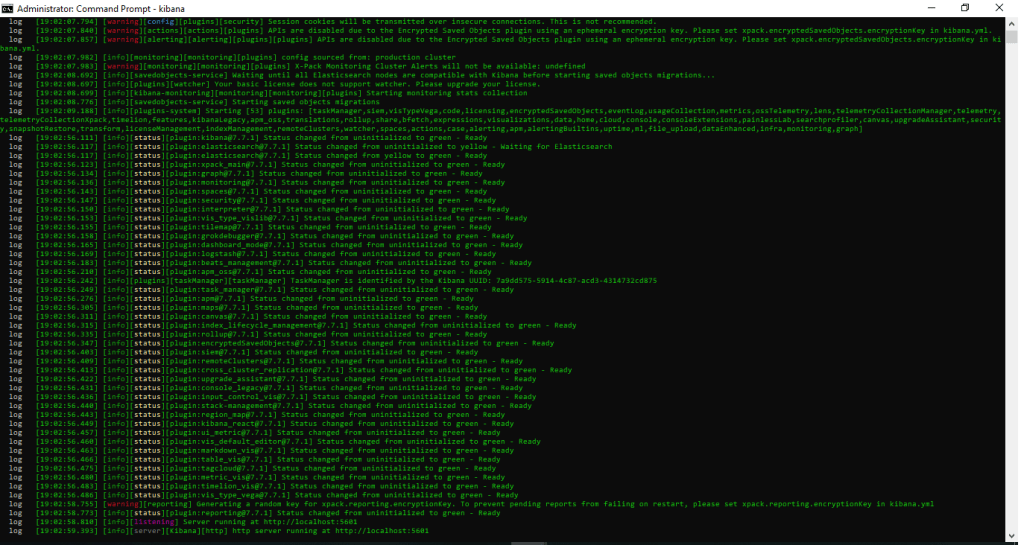
After that running Kibana will print the log like this:
Kibana local URL:
http://localhost:5601/
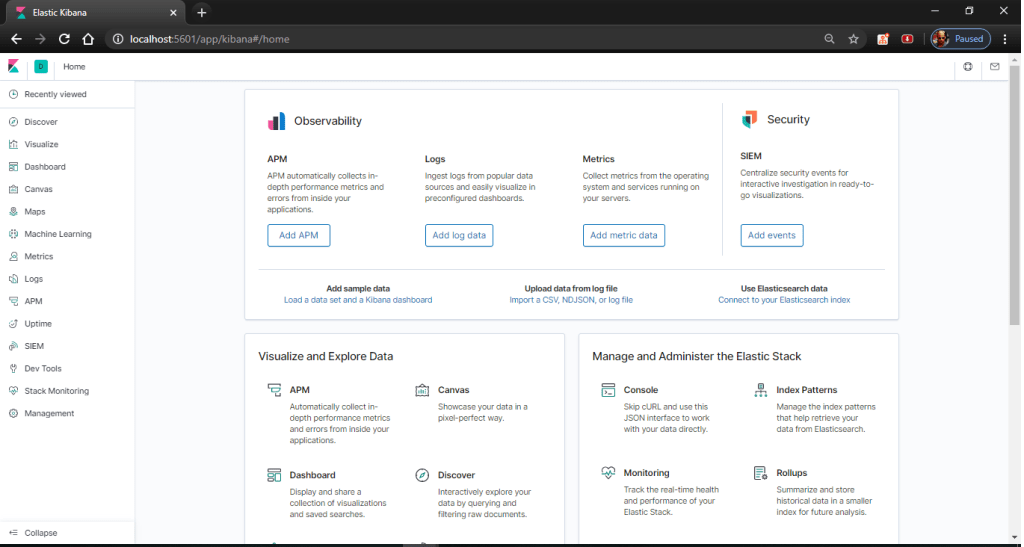
if Kibana runs successfully then clicking on above link will take you to the Kibana homepage which looks like this
3. Project setup : Spring Rest services
We will use spring boot to setup project. But before that we need to check compatibility chart for our elastic search version with spring data. Following chart is showing which spring boot version is compatible with elastic search version:
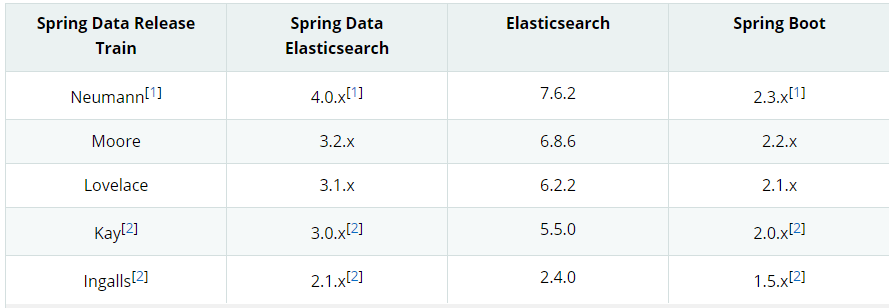
source: https://docs.spring.io/spring-data/elasticsearch/docs/current/reference/html/#preface.versions
We are using elastic search 7.7.1. so, we decided to use spring boot version 2.3.x. To create a maven spring boot project, you can use this https://start.spring.io/ or create it by using IDE which you are currently using.
Basically, our project needs following dependency:
// elastic search
<dependency>
<groupId>org.springframework.boot</groupId>
<artifactId>spring-boot-starter-data-elasticsearch</artifactId>
</dependency>

// Spring rest
<dependency>
   <groupId>org.springframework.boot</groupId>
   <artifactId>spring-boot-starter-web</artifactId>
</dependency>

// to avoid boilerplate code
<dependency>
   <groupId>org.projectlombok</groupId>
   <artifactId>lombok</artifactId>
   <optional>true</optional>
</dependency>
Java Configuration:
After creating project, we need to set some configuration to work with elastic search. so, we will create a configuration file using annotation. and with this change we are finished with basic configuration.
@Configuration
@EnableElasticsearchRepositories(basePackages = code.java.tech.elasticsearch.repository")
@ComponentScan(basePackages = { "code.java.tech.elasticsearch" })
public class ElasticConfiguration {

// We’ll add some beans here in future.

}
4. Elastic search repository
Elastic search dependency provide the interface called ‘ ElasticsearchRepository’. Which provide lots of features like inbuilt method for CRUD Operations, method name query, fetch the data etc.
Let’s start creating our own repository. But before that we need to create document first.
@Builder
@Getter
@Setter
@AllArgsConstructor
@NoArgsConstructor
@Document(indexName = "style")
public class StyleDocument {

    @Id
    private String id;
    private String styleNo;
    private String info;
    private Date validTo;
}
@Component
public interface StyleRepository extends ElasticsearchRepository<StyleDocument, String> {

    /*
     * method for fetching styledocuments by styleNo. it uses the feature of spring data to
     *  create method like this which are similar to the queries
     */
    List<StyleDocument> findByStyleNo(String styleNo);

}
5. Save and fetch the data from elastic search
I hope you all are comfortable with spring rest for creating service and methods. So, to make this tutorial easier we will create a rest method to create the data and one more rest method to fetch those saved data.
Lets create a service which will perform create, search, and findAll operations on StyleDocument.
@RestController
public class StyleService {

    @Resource
    private StyleRepository styleRepository;

    @PutMapping(value = "/create/{styleNo}")
    public void create(@PathVariable String styleNo) {
        StyleDocument document = StyleDocument.builder()
                .id(UUID.randomUUID()
                        .toString())
 		.styleNo(styleNo)
        	.info("style is created with no " + styleNo)
        	.validTo(new Date())
                .build();
	styleRepository.save(document);
    }

    @PostMapping(value = "/search/{styleNo}")
    public List<StyleDocument> findAll(@PathVariable String styleNo) {
        return styleRepository.findByStyleNo(styleNo);
    }

    @PostMapping(value = "/findAll")
    public List<StyleDocument> findAll() {
        Iterable<StyleDocument> iterable = styleRepository.findAll();
        List<StyleDocument> result = new ArrayList<>();
        iterable.forEach(result::add);
        return result;
    }
}
This was the final step and we are ready to test our logic. Let’s run the application main class. And to test the service method. we might need third party app for testing our service methods. I’m going to use ARC client available in google chrome browser. But you can use whatever makes you comfortable.
Let’s begin testing:
Note: we have used some hard coded values to some properties of StyleDocument. But style no value is depend on the user input which we can pass from URL.
- Create new record
URL: http://localhost:8080/create/100
Method: PUT
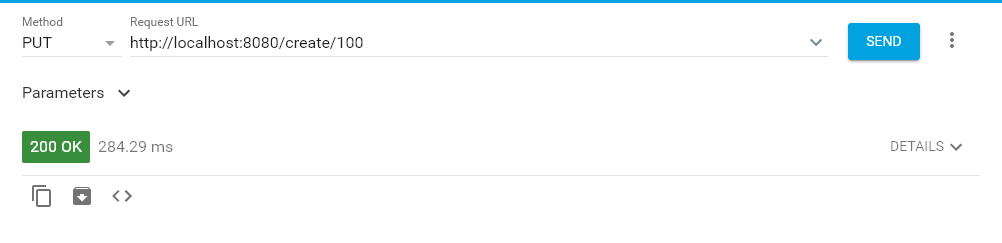
With above call we have created style document with style no = 100. If you want to create more entries then just change the last value of URL and send the request to server. It will create new data with new value.
2. Search by value
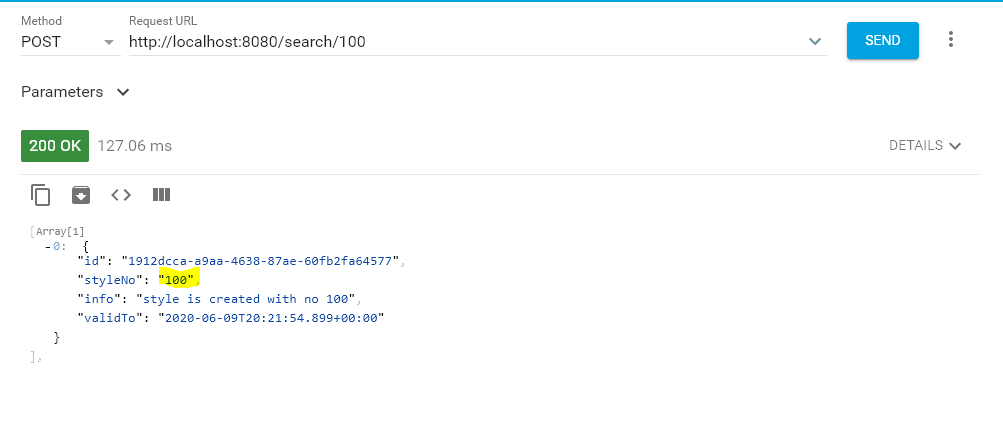
URL: http://localhost:8080/search/100
Method: POST
Let’s search the value which we have just saved with following URL.
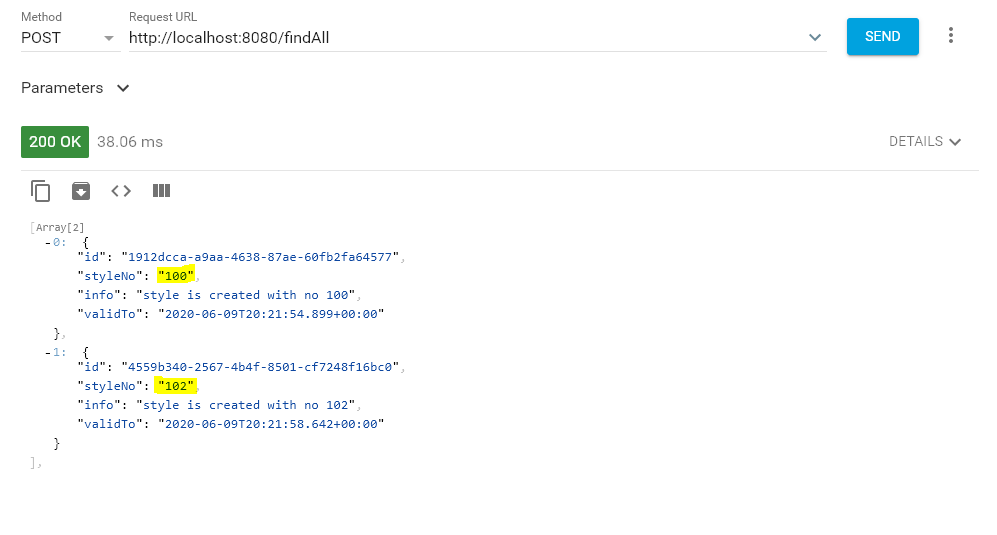
3. Find all the data
URL: http://localhost:8080/findAll
Method: POST
It will return the list of style documents
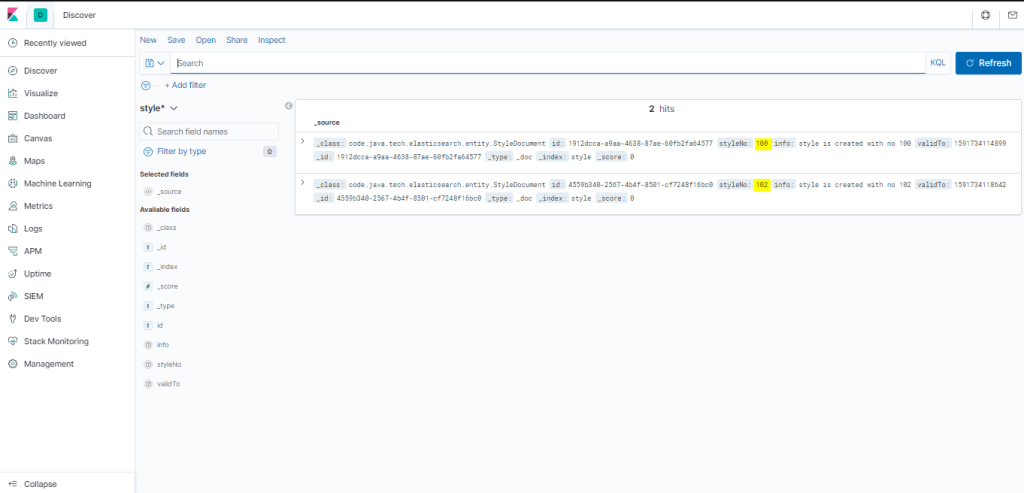
4. Let’s use Kibana to check the data
Click here to open Kibana: http://localhost:5601/
Then go to discover tab and there you will see the two records which we have just saved.
Woww…!!! We are done here.
Conclusion:
Finally, We have successfully performed some operations on elastic database after successful installation of Kibana and Elastic search. and now we got the idea about how to store and retrieve the data from/to elastic database.
also we understood the creation of our own Elasticsearchrepositoy.
Future scope:
1. Deep dive into elastic search capabilities
2. Complete understanding of Kibana tool
3. In detail configuration of Elastic search & Kibana
The source code can be found here:
https://github.com/mecodeworld/elastic-search.git
 Welcome to The Code World
Leave a comment